
Your recurring
meetings,
prepared without you.
Agendair turns a single Google Sheet into a living agenda and decision register — and sends the reminder and program emails on their own. Set it up once. It runs every week, in your branding, without the organizer chasing anyone.

A recurring meeting that arrives unprepared isn't a meeting. It's a tax — on every person in the room, every week, forever. The fix isn't another SaaS dashboard. It's removing the organizer from the loop.
Agendair is a Google Sheet plus an Apps Script. Topics get submitted into the sheet. A reminder email goes out two days before. A program email — with the full table of submitted topics, a join-the-meeting button, and the recipient list — goes out the morning of. Decisions are recorded into the same sheet. The agenda is the decision register. Closed rows hide. History stays.
The agenda is the decision register.
One sheet. Submitter, required participants, decision, owner, status. New rows show by default. Closed rows fold away — never deleted. After six months you have a complete, searchable record of every decision the team made, with the conversation around it.
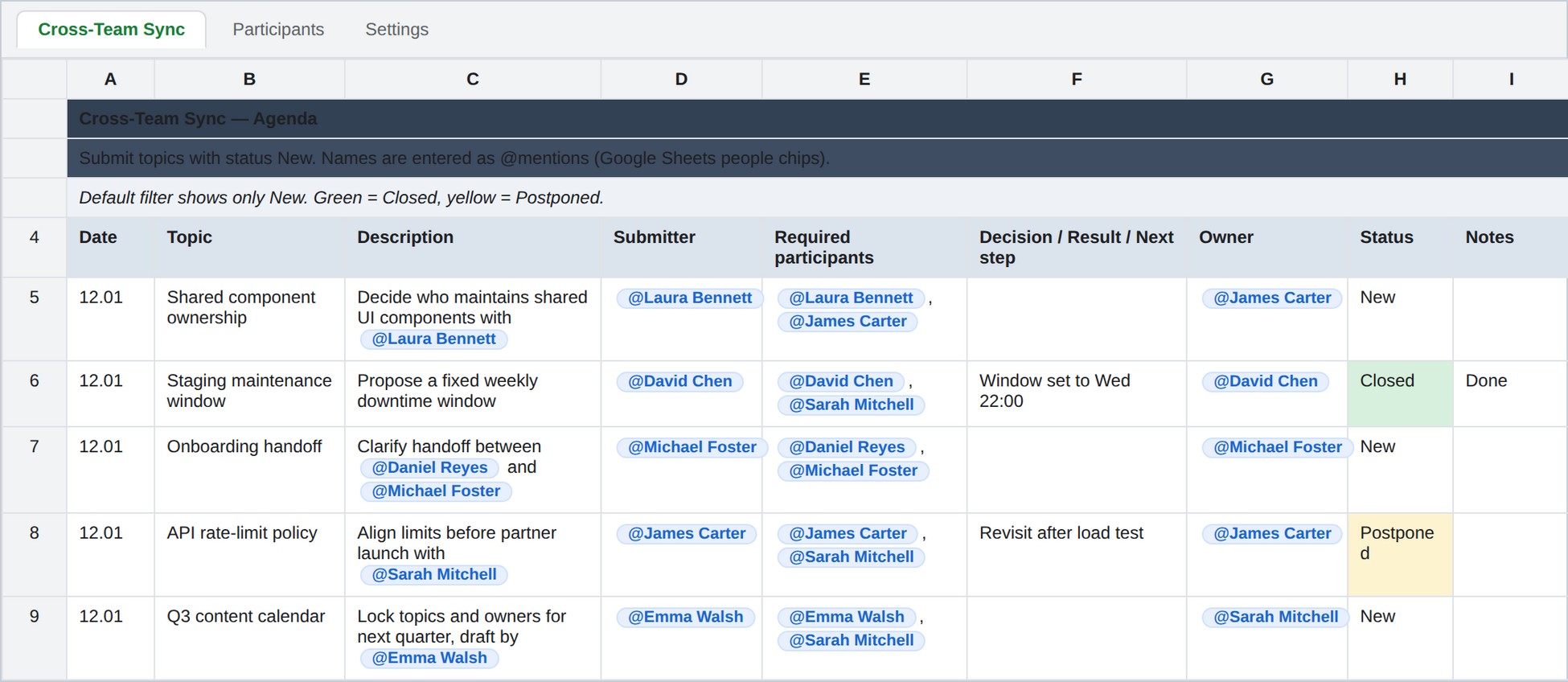
Topics arrive on their own.
Two days out, the reminder email goes to the recipient list with a one-click Submit a topic button. Anyone can drop a row into the agenda sheet. No DMs, no nudges. The organizer does nothing.
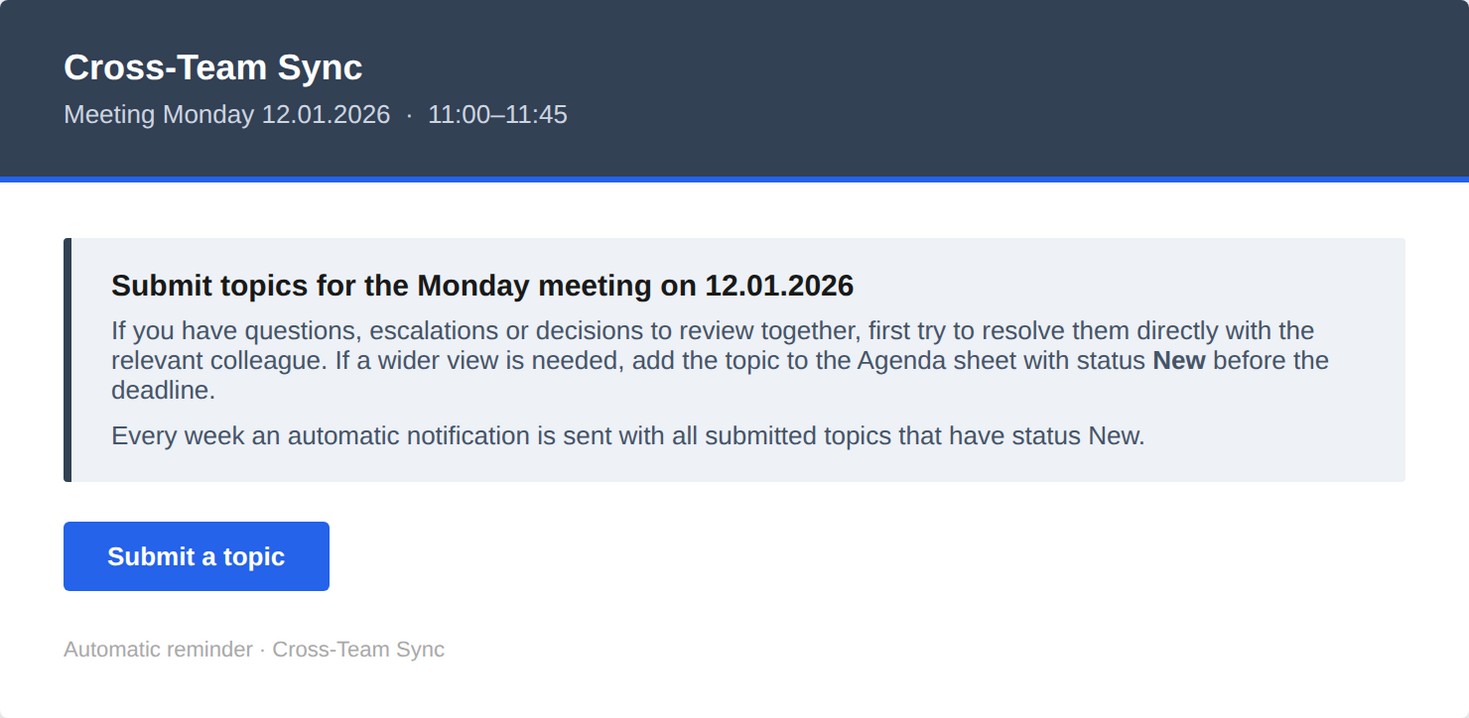
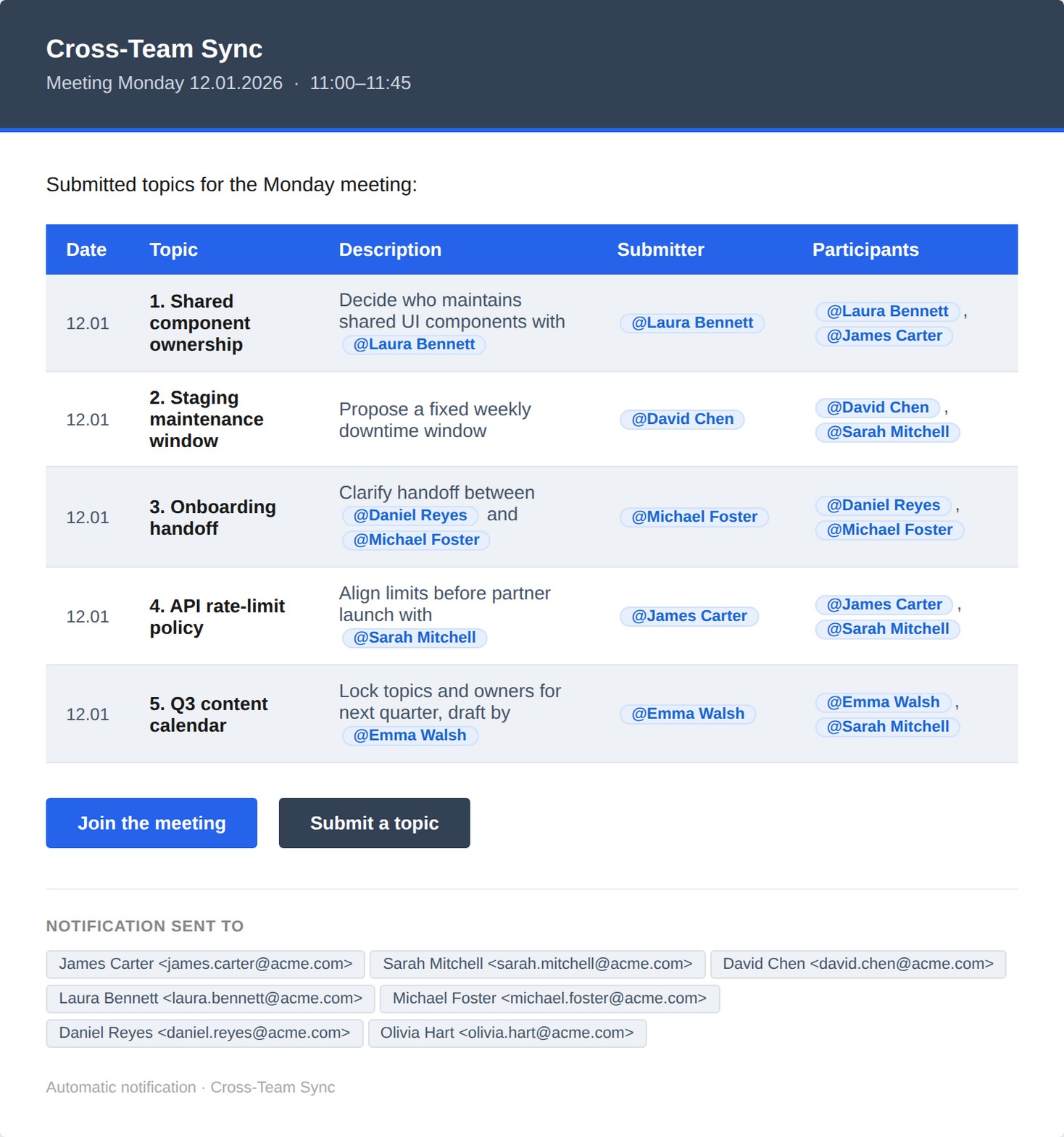
The program sends itself.
Every submitted topic — with submitter, participants, description — is rendered into a single branded email. A Join the meeting button sits next to a Submit a topic button. Everyone arrives with the same context.
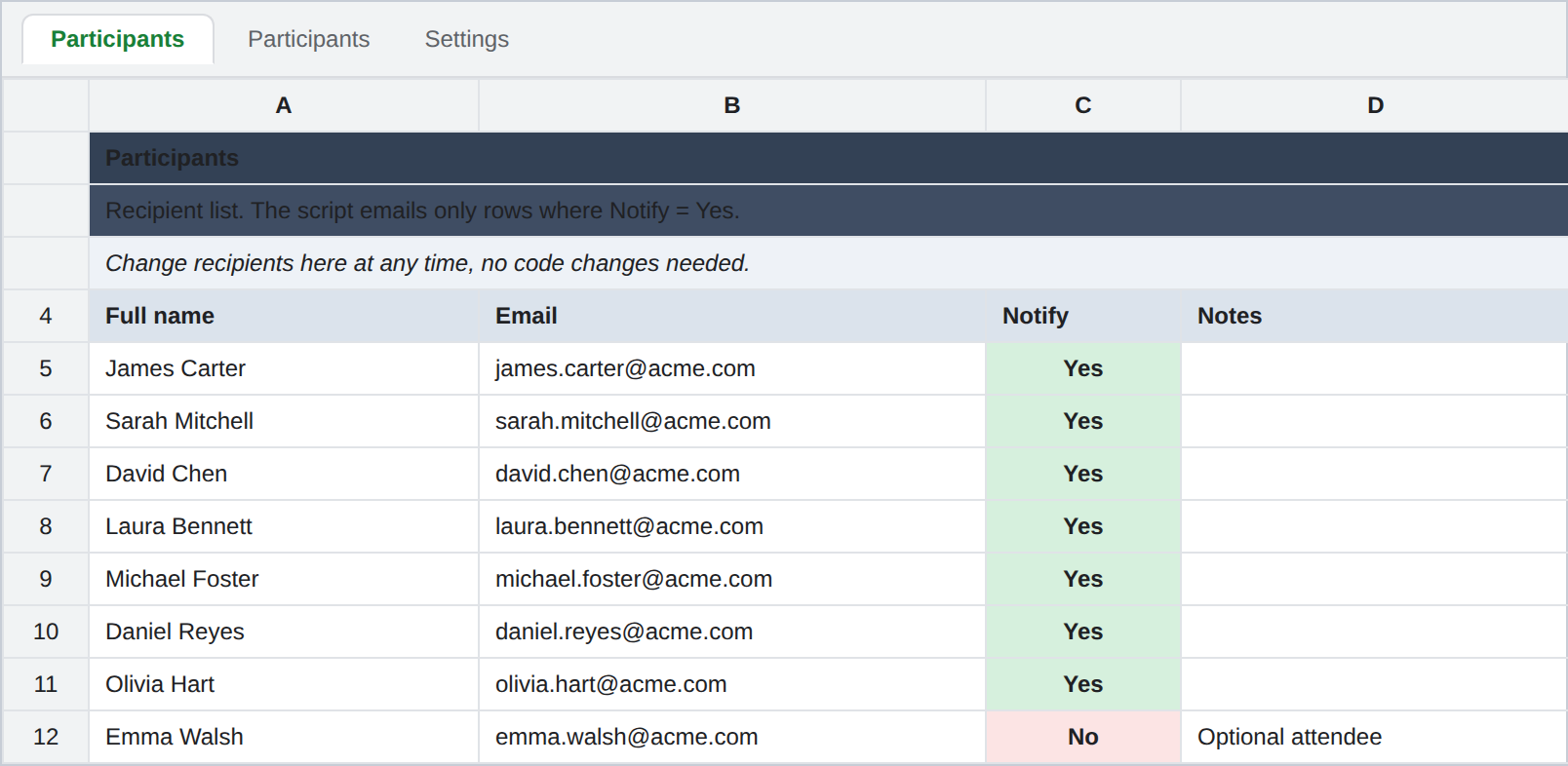
One sheet decides who hears about it.
The Participants tab is the source of truth. Flip Notify to Yes or No. The script picks up the change on the next run. No code edits, no admin panel, no per-seat seat fee.
Agendair vs. the manual agenda email.
| Job | Manual (status quo) | With Agendair |
|---|---|---|
| Collect topics before the meeting | Slack reminders, DMs, hope. | Submit-a-topic button in the auto reminder. |
| Build the meeting program | Copy-paste into an email at 22:00 Sunday. | Auto-rendered table, branded, sent. |
| Record decisions | Notes in a Doc no one re-opens. | Same sheet, in the decision register. |
| Change the recipient list | Update a Doc, forget to. | Flip one cell to Yes/No. |
| Pause for a holiday week | Forget to skip. Send a 'sorry' email. | Set Script active = No. |
| Monthly cost | Your evenings. | $0 — runs on Google Workspace. |
Configured for the meeting you actually run.
- Weekly team syncWeekly, same day and time · Team lead, ops manager, chief of staffread →
- One-on-oneWeekly or fortnightly, per report · Managers and their direct reportsread →
- Leadership team meetingWeekly or fortnightly · CEO, COO, chief of staff, department headsread →
- Board meetingMonthly or quarterly · Company secretary, chair, executive assistantread →
- Project status meetingWeekly, for the life of the project · Project manager, delivery lead, client-side sponsorread →
- Sprint planningEvery one or two weeks · Engineering leads, product owners, scrum mastersread →
Build your kit.
Answer five questions. Watch the email repaint in your brand colors as you go. The kit — sheet, script, install guide — is configured for your team specifically.
What meeting do you want to automate?
| # | Topic | Submitter |
|---|---|---|
| 1 | Shared component ownership Decide who maintains shared UI components with @Laura Bennett | Laura Bennett |
| 2 | Staging maintenance window Propose a fixed weekly downtime window | David Chen |
| 3 | API rate-limit policy Align limits before partner launch | James Carter |
One-time. You own it.
No subscription. You own the sheet and the script. Cancel a per-seat tool to pay for this once.
| One meeting kit | team sync OR decisions | $39 |
| Two meeting kitsbest value | e.g. sync + decisions | $59 |
| More than two | tell us in the quiz | — |